Korg Minilogue / Minilogue XD
Replacement knob set

Sticky Knob Fix for Korg Minilogue

A clean replacement set for Minilogue and Minilogue XD owners who want to get rid of sticky original knobs and restore a sharper front-panel look.

For Minilogue & XDShown installed on both versions.
Aluminum styleClean cylindrical profile with indicator line.
Hex key includedSimple install without extra fuss.
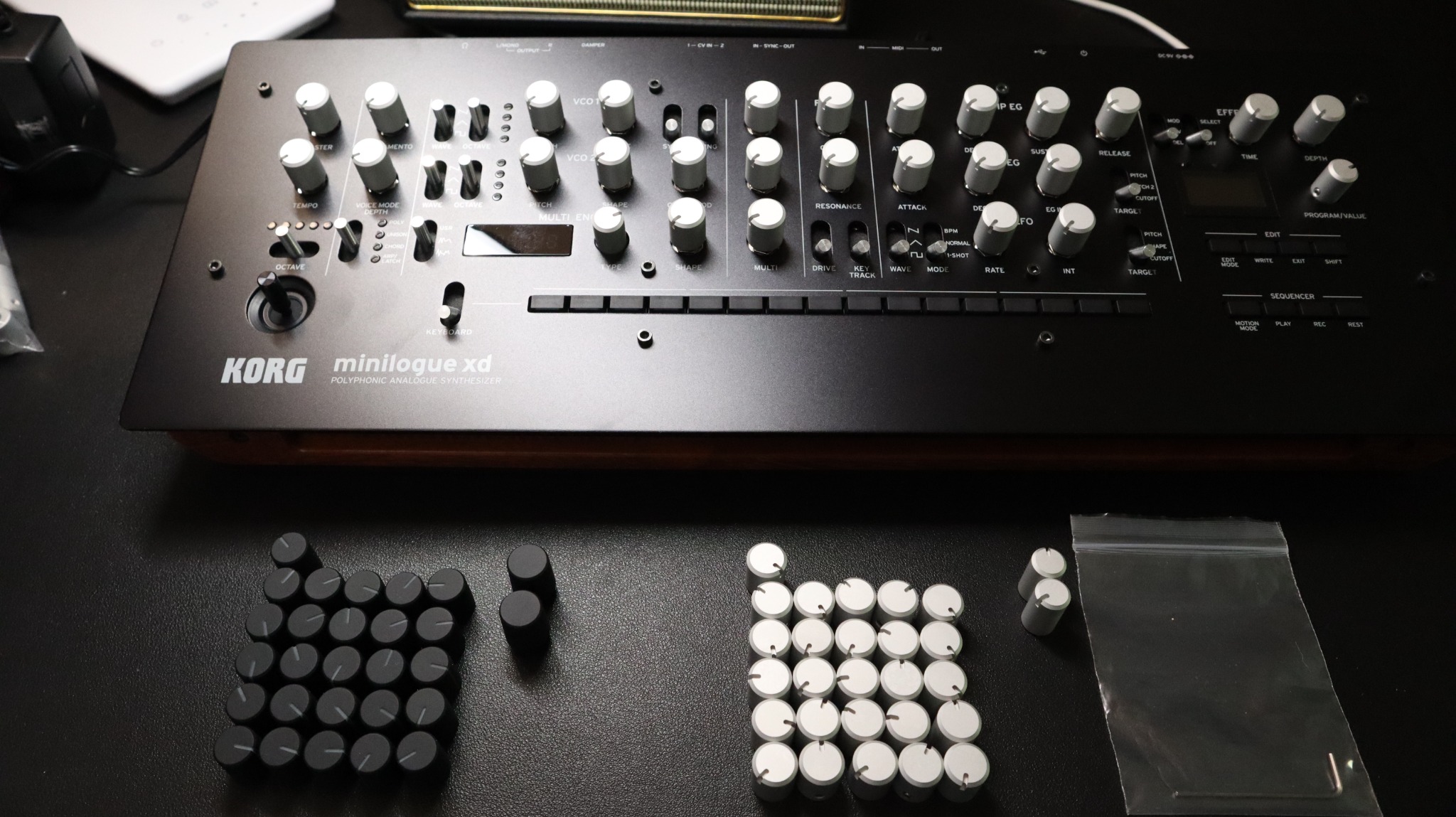
Korg Minilogue XD with replacement knob sets shown in front of the instrument.
Overview photo showing the set with both black and silver options.

Made for the problem owners actually have

When the original Minilogue knobs start getting tacky, the synth can still sound great but stop feeling good to use. This set is for owners who want a direct cosmetic and practical fix without turning the instrument into something else.

  • Useful when the original knobs feel sticky or look aged
  • Helps the panel look cleaner in daily use, studio photos, or resale listings
  • Keeps the visual character of the instrument simple and intact
  • Focused on a clean replacement rather than an overdesigned mod
Use case
Replacement set for sticky or degraded original Minilogue knobs
Fit shown
Installed on Korg Minilogue and Minilogue XD
Finish
Simple aluminum look with indicator line
Included
Knob set and hex key for installation
Buy path
Direct link to eBay listing, plus Reverb shop link below

Installed view

The installed photos matter more than any long explanation. These show the overall balance on the actual instruments, not just the loose parts.

Close-up of a black Korg Minilogue XD with silver replacement knobs installed.
On Minilogue XD: bright contrast against the black panel without looking busy.
Top view of a silver Korg Minilogue with replacement knobs installed.
On Minilogue: a more uniform look across the silver front panel.

Simple installation

No complicated process. Remove the old knobs, place the replacements, align the indicator lines, and tighten with the included hex key.

Step 01

Remove the original knobs

Prepare the panel carefully and make sure the control shafts are clean before installing the new set.

Step 02

Place and align each knob

Set the orientation so the front panel reads consistently once everything is installed.

Step 03

Tighten with the hex key

Secure each knob and finish the swap without turning it into a long maintenance job.

Replacement knobs installed on a Korg Minilogue with the included hex key resting across the panel.
Installed detail with the included hex key shown on the panel.